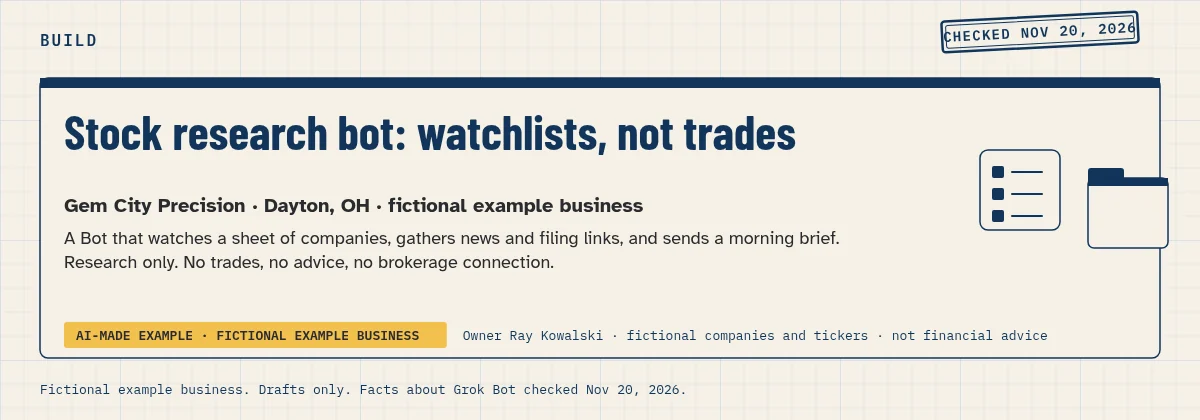
Build a read-only Bot that keeps an eye on a watchlist, collects public news and filing links, and sends you a short morning brief. It doesn’t pick stocks and doesn’t trade.
This walkthrough has not been run end to end.
At a glance
What you’ll have at the end: a Bot called “Watchlist Brief” that can:
- Read a Google Sheet watchlist (ticker, company, why you watch it).
- Write a one-off research note per company, with source links only.
- Send a weekday morning brief at 7:30 AM ET with links and timestamps.
Plan needed: Grok Bot is included on Premium ($30/mo), Super and Ultra on The X Subscription (checked Nov 20, 2026). See Grok Bot pricing.
Prerequisites: 1.6 First Bot, 2.6 Approvals, 2.8 Routines, and a separate test Google account.
Meet the business
Example data (fictional): Gem City Precision, a 14-person machine shop at 700 Example Avenue, Dayton, Ohio, (937) 555-0106. Owner Ray Kowalski isn’t a trader. He watches a few public suppliers and customers because their news affects his orders: steel prices, plant openings, layoffs. He wants one short brief before the first shift. Time zone: Eastern Time (America/New_York).
Before you start
- Read-only. This Bot reads public web pages and public X posts. Bots can use many websites without a connector; some sites block automation or show a CAPTCHA, and the Bot hands those steps to you. (FAQ)
- Public X reading is built in and read-only. (Computer and apps)
- No brokerage apps. Don’t connect a brokerage or bank account to this Bot.
Prepare the fictional sources
Step 1: Build the watchlist sheet
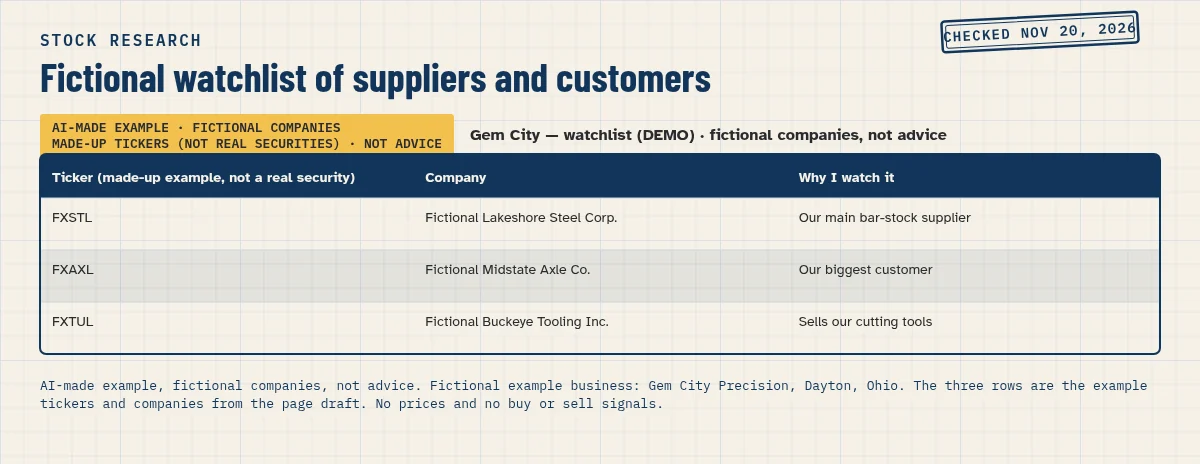
What to do in the app: create a Google Sheet Gem City — watchlist (DEMO) with columns: Ticker, Company, Why I watch it, Last brief (MM/DD/YYYY). Add three fictional rows. FXSTL, FXAXL and FXTUL below are made-up example tickers (not real securities), for example:
Table: demo watchlist with made-up example tickers (not real securities) and fictional companies.
| Ticker (made-up example, not a real security) | Company | Why I watch it |
|---|---|---|
| FXSTL | Fictional Lakeshore Steel Corp. | Our main bar-stock supplier |
| FXAXL | Fictional Midstate Axle Co. | Our biggest customer |
| FXTUL | Fictional Buckeye Tooling Inc. | Sells our cutting tools |
These companies and tickers are invented for the demo; FXSTL, FXAXL and FXTUL aren’t real securities. When you use real ones, they’re your choice, not ours.
No prompt.
Expected result: a watchlist the Bot can read.
Set the boundaries before using apps
Step 2: Add lasting rules
Paste this into: Grok Bot chat, message box
Remember these as lasting rules for Watchlist Brief:
1. Read-only. Never connect to, log in to or act in any brokerage, bank or trading account.
2. Never recommend buying, selling or holding anything, and never give price targets or predictions.
3. Every item you report needs a source link and the date and time you found it (Eastern Time).
4. If you're unsure or a source is missing, say "unknown." Don't fill gaps.
5. Prefer company press releases, SEC filings and established news sites. Mark X posts as "public post, unverified".
Expected result: the Bot confirms all five rules.
Create the Bot and connect the test apps
Step 3: Create “Watchlist Brief” and connect Google Sheets
What to do in the app: create a Bot named Watchlist Brief and connect Google Sheets (and Google Drive if asked) with the test account.
No prompt.
Expected result: the Bot can read the watchlist.
Give the Bot its role
Step 4: Describe the job
Paste this into: Grok Bot chat, message box
You are Watchlist Brief for Ray at Gem City Precision in Dayton, Ohio (fictional). Ray runs a machine shop and follows suppliers and customers for business reasons. For each company in "Gem City — watchlist (DEMO)", collect public news, press releases and filing links that could affect a small supplier: plant changes, layoffs, earnings dates, recalls, material costs. Plain English, no jargon, no opinions.
Expected result: the Bot repeats the job.
Run the drafts manually
Step 5: One research note per company
Paste this into: Grok Bot chat, message box
For the first company on the watchlist, write a research note: what the company does (2 lines), the 5 most recent public news items or filings with links and dates, and "Why it might matter to Ray" in one line each, based on the "Why I watch it" column. No recommendations. Mark anything you can't confirm as unknown.
Expected result: a short, linked note. Since the demo companies are fictional, expect “unknown” results until you use real names.
Step 6: The morning brief
Paste this into: Grok Bot chat, message box
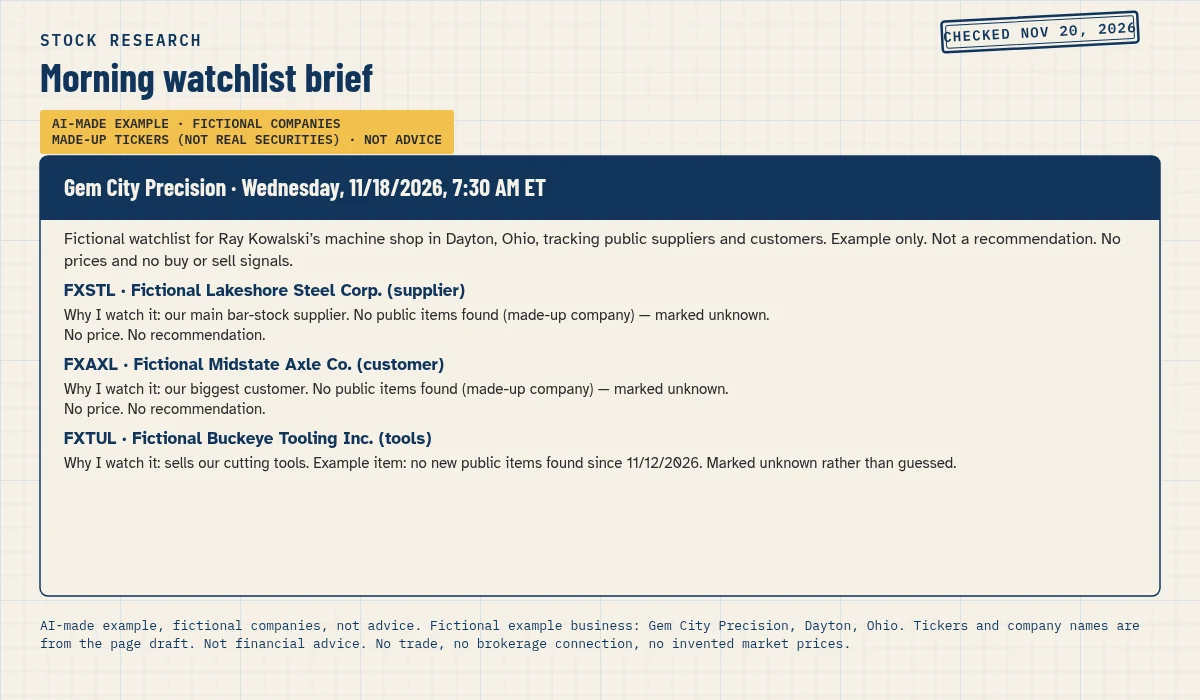
Write this morning's brief for the whole watchlist: one heading per company, up to 3 new items since the "Last brief" date, each with a link and time found (Eastern Time). Then update "Last brief" to today's date (MM/DD/YYYY) after I approve. No advice, no predictions.
Expected result: a brief you can read in two minutes.
Test it
Step 7: Weekday 7:30 AM routine
Every routine run spends usage from your weekly pool, and routines have rate limits (300 runs an hour across all routines, 200 per routine). Once or twice a day is plenty. (Skills and routines)
Paste this into: Grok Bot chat, message box
Set up a routine for Watchlist Brief: every weekday at 7:30 AM Eastern Time (America/New_York), write the morning brief from Step 6 and send it to me here in chat. Read-only. If the watchlist can't be opened, tell me instead of guessing.
Expected result: the Bot shows the routine details for you to confirm.
Step 8 (optional): A dashboard Page
You can ask the Bot to keep the latest brief on a Page. See Pages.
Staff review and next steps
- Click through every link before you act on anything.
- Check figures at the source. A Bot can be wrong or out of date.
What this Bot won’t do (and why)
- No trades. This guide never connects a brokerage. The Grok Bot docs mention Robinhood by name in a sign-in note, but we don’t cover connecting one, and we don’t recommend giving a Bot brokerage access.
- No advice. It summarizes public sources with links. It doesn’t pick stocks.
- For comparison, Anthropic’s Claude Duet lists “trading securities” as off-limits even with approval. (Claude Duet help)
TradingView and crypto?
We didn’t find a TradingView connector in the Grok Bot docs we checked (Nov 20, 2026). This guide doesn’t cover crypto.
If this goes wrong
- It gives an opinion: repeat rule 2.
- A link is broken or old: ask it to re-check the source and show the date.
- A site blocks the Bot: it hands the step to you; open the link yourself.
FAQ
Can Grok Bot trade stocks for me?
This guide doesn’t do that, and we don’t recommend it. We haven’t verified any trading capability.
Can it give me stock picks?
No. This Bot summarizes public sources with links.
Can it watch X for news about a company?
Yes. Public X reading is built in and read-only. See X.
How often can it check?
Routines have rate limits, and each run uses your weekly pool. Once or twice a day is a sensible start.
Is this financial advice?
No. This guide shows how to organize public information. Bot Agents 24 is not a financial adviser, and nothing here recommends buying or selling any security.