Last checked: Nov 17, 2026
Grok Bot lets you set up AI helpers, called bots, that can use apps and do real work for you. If you’re brand new, watching someone do it first is often the easiest way in. We picked 12 beginner-friendly videos from YouTube and put them in an order that makes sense: what Grok Bot is, a full walkthrough, building your first bot, the key ideas, and then ideas for what to build next.
These videos are made by other creators, not by us. Bot Agents 24 is an independent guide and isn’t affiliated with xAI. Apps change quickly, so if a screen in a video looks different from yours, trust what you see in the app.
How to use this page
- Short on time? Watch the two videos in Start here. Together they take under 11 minutes.
- Ready to build? Pick one walkthrough from section 2 or one first-bot video from section 3. You don’t need to watch them all.
- Pause and follow along in the app as you watch.
- Prices, plans and screens shown in a video may have changed since it was published. Check the app for what’s current.
- Want written steps instead? Our free lessons cover the same ground step by step.
Start here
Two short videos: what Grok Bot is, then a quick tour of how to use it.
Introducing Grok Bot
A quick launch video that explains the big idea: Grok Bot gives you AI teammates with their own computer that sign into the tools you already use. It’s not a step-by-step guide, but at under two minutes it’s the fastest way to see what Grok Bot is for. Good for anyone who hasn’t used it yet.
Watch on YouTube. Related lesson: How Grok Bot works (written lesson).
How to Use Grok Bot for Beginners
In nine minutes you’ll see where things are in the app and build a first bot that connects to Gmail and watches an inbox for new orders. It’s made for complete beginners and moves at an easy pace. The video talks about prices and plans, so check the app for current details.
Watch on YouTube. Related lessons: How to find your way around Grok Bot settings; How to set up your first Bot, step by step.
A complete walkthrough
Have an hour, or half an hour? These go from the very first steps to a small team of bots. Pick the one that fits your time.
Grok Bot 101
A recorded workshop that starts with treating Grok Bot as a teammate, then builds a team of bots for a made-up airline in a live demo. It’s nearly an hour, so it suits beginners who want the full picture in one sitting. Feel free to watch it in parts.
Watch on YouTube. Related lesson: How to build a multi-Bot team.
The ONLY Grok Bot Tutorial You Need (Beginner to Genius)
A start-to-finish walkthrough in under half an hour: install, connect email and calendar, build routines and skills, and run a team of bots. It’s for beginners who want to go further than a first bot. The pace is quicker than the shorter intro videos.
Watch on YouTube. Related lessons: How to install Grok Bot; How to schedule a Bot with routines.
Your first bot
Each of these walks you through setting up Grok Bot and building one bot with a clear job. Watch one, then try it yourself.
Grok Bot Tutorial for Beginners: How to Set Up Your First AI Agent
Shows how to set up Grok Bot and build practical first bots, like tracking receipts and handling spreadsheets and email. You’ll also see recurring tasks and teaching a bot a new skill by recording your own actions. A good pick if you want a recent, mid-length first build.
Watch on YouTube. Related lessons: How to set up your first Bot, step by step; How to teach Grok Bot a task and save it as a skill.
Grok Bot Full Tutorial for Beginners: How to Use & Set up Grok Bot
A slower, from-scratch walkthrough: how Grok Bot works, its main features, and a simple step-by-step way to get started. It’s for true beginners who like every step shown. Runs about 24 minutes.
Watch on YouTube. Related lessons: How to install Grok Bot; How to set up your first Bot, step by step.
Grok Bot Tutorial for Beginners (Automate Anything with AI Agents)
Covers setup, a simple way to write a job for your bot, and four example use cases, with a short section on limits to keep in mind. It’s for beginners who want examples they can adapt. Made in early September 2026, so some screens may look different now.
Watch on YouTube. Related lesson: How to set up your first Bot, step by step.
Concepts, connectors, skills and routines
Once your first bot works, these explain the ideas behind it: connecting apps, skills (how a bot does a task), routines (when it does it) and permissions.
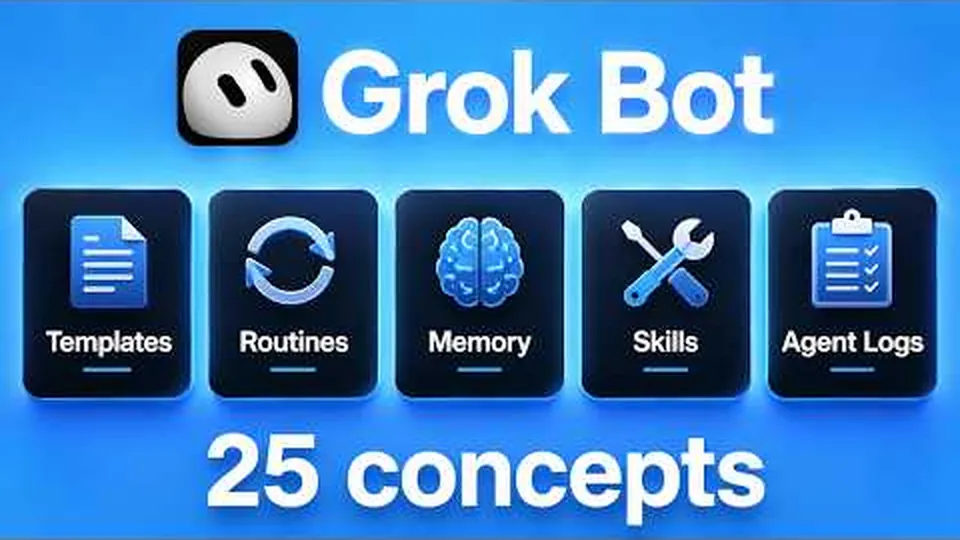
Every Grok Bot Concept Explained for Normal People
Explains 25 Grok Bot ideas in plain language, including memory, the bot’s computer, skills, routines, webhooks and handoffs. Watch it before or after your first build if the words feel new. Made in early September 2026, so the app may look a little different.
Watch on YouTube. Related lessons: How to check and correct what a Bot remembers; How to use the Bot’s cloud computer and browser.
Getting started with Grok Bot
A deeper look at setup, permission rules that allow or block actions, routines and triggers, and plugins for services like Gmail and Notion. It’s for beginners who want to understand how a bot is kept in check. One of the earlier tutorials, so some names and screens may have changed.
Watch on YouTube. Related lessons: How to set approvals and Auto Review; How to connect your apps to Grok Bot.
The ONLY Grok Bot Tutorial You'll Ever Need (ALL 38 Features Explained Simply)
A recent tour of 38 features and tips, including making skills and routines, event triggers, a chief of staff bot and the bot marketplace. Best after your first bot, when you’re ready to see what else is there. Use the chapter list to jump to what you need.
Watch on YouTube. Related lessons: How to teach Grok Bot a task and save it as a skill; How to make your primary Bot a Chief of Staff; How to install a Grok Bot template.
Ideas once you’re set up
Not sure what to build next? These show real examples from creators who’ve used Grok Bot for a while. Treat them as ideas, since some were made in the summer of 2026.
Grok Bot: 5 Must-Try Use Cases for Work and Life (Full Tutorial)
Builds five example bots, including a YouTube researcher, a Gmail clean-up helper and a travel helper that looks for cheaper flights. It ends with the creator’s own view on privacy and pricing. Treat it as an idea list, since it was made in August 2026.
Watch on YouTube. Related lesson: Grok Bot examples: 46 ideas for your first Bot.

11 Insane Things NEW Grok Bot Can Do (Steal These)
Eleven practical setup tips after a week of real use, covering bots, skills and plugins, plus ideas like group chats and project bots. It’s for people who already have one bot running and want more ideas. Some tips may be older than newer features.
Watch on YouTube. Related lessons: Grok Bot examples: 46 ideas for your first Bot; How to run a group chat between Bots.
More from the Grok YouTube channel
These are longer follow-up videos from the same channel. They are not part of the 12 beginner videos above.
Show four more videos from the Grok YouTube channel
- Grok Bot 201 (55:26 · Oct 21, 2026)
- What’s new in Grok Bot #1 (45:11 · Oct 8, 2026)
- What’s New in Grok Bot #2 (41:38 · Nov 2, 2026)
- Meet Team Bots: AI teammates your whole team can work with (50:09 · Nov 13, 2026)
FAQ
Do I need to watch all 12 videos?
No. Watch the two in Start here, then one walkthrough or one first-bot video. Come back to the others when you need them.
Which video should I watch first?
Start with Kevin Stratvert’s How to Use Grok Bot for Beginners (9 minutes). If you want the big idea first, watch the 1:46 Introducing Grok Bot video right before it.
The app looks different from the video. What do I do?
That’s normal, because the app changes often and some of these videos are from mid-2026. Follow what you see on your screen, and check the upload date shown under each video.
Are the prices in these videos current?
Maybe not. Some videos mention plans and prices that may have changed since they were made. Check the app for current plans before you sign up.
Should I build along while I watch?
Yes, if you can. Open Grok Bot next to the video, pause after each step and try it yourself. You’ll remember it much better than just watching.
Are these videos made by Bot Agents 24?
No. They’re made by independent creators and the Grok YouTube channel, and they play from YouTube. Bot Agents 24 is an independent guide and isn’t affiliated with xAI.
All videos belong to their creators and play from YouTube. Titles and lengths were checked on Nov 17, 2026.