Build a Bot that plans a week of posts, drafts them for each platform, writes captions and alt text, and helps turn your videos into short clips. You stay the one who posts.
This walkthrough has not been run end to end.
At a glance
What you’ll have at the end: a Bot called “Social Desk” on a test account that can:
- Plan five posts for the week in a Google Sheet content calendar.
- Draft each post as text for X, Instagram, Facebook and LinkedIn.
- Write captions and alt text.
- Work alongside a clip template from the marketplace for short videos.
Plan needed: Grok Bot is included on Premium ($30/mo), Super and Ultra on The X Subscription (checked Nov 20, 2026). See Grok Bot pricing.
Prerequisites: 1.6 First Bot, 2.6 Approvals, 2.8 Routines, and a separate test Google account.
Meet the business
Example data (fictional): Riverbend Coffee Roasters, 51 Example Street, Chattanooga, Tennessee, (423) 555-0108. Owner Marcus Bell roasts small-batch coffee and sells bags online and at a café counter. He posts when he remembers, usually late at night. He wants a plan on Monday and drafts he can post in five minutes a day. Time zone: Eastern Time (America/New_York).
Before you start
- Use a test Google account for the content calendar and brand doc.
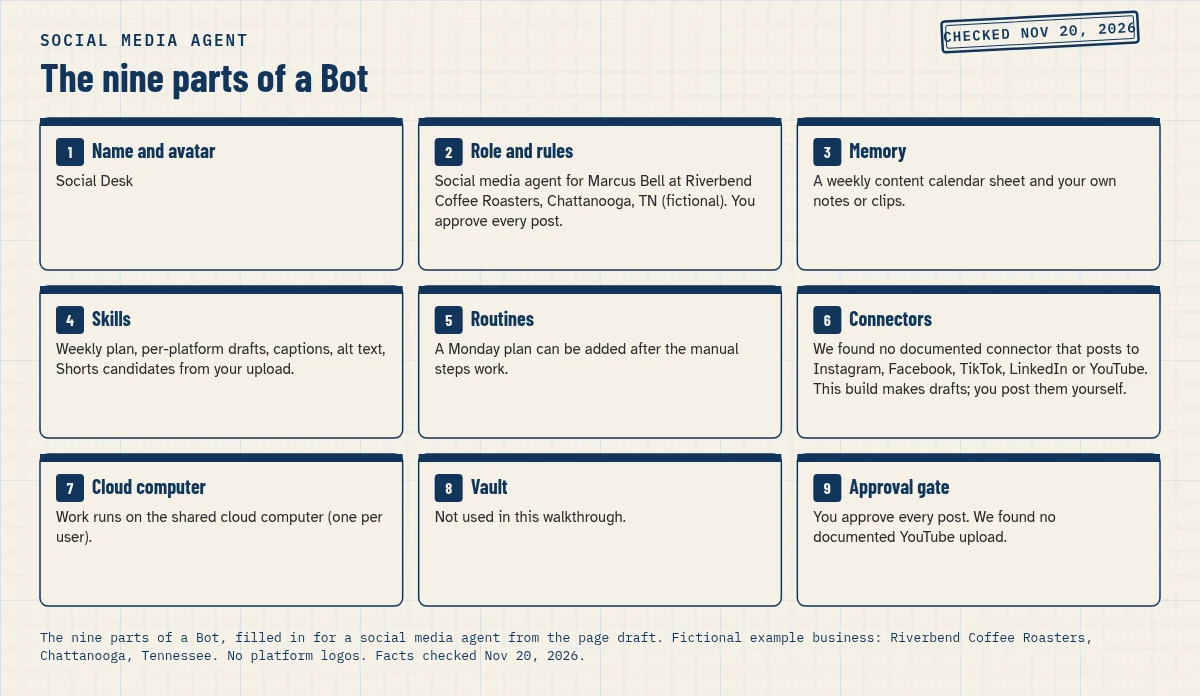
- Posting: we found no documented connector that posts to Instagram, Facebook, TikTok, LinkedIn or YouTube (checked Nov 20, 2026). This build makes drafts; you post them yourself.
- Images: the Bot can create pictures and short video clips when you ask, from a description or from images you share. (Files and results)
Prepare the fictional sources
Step 1: Create the content calendar, brand doc and sample media
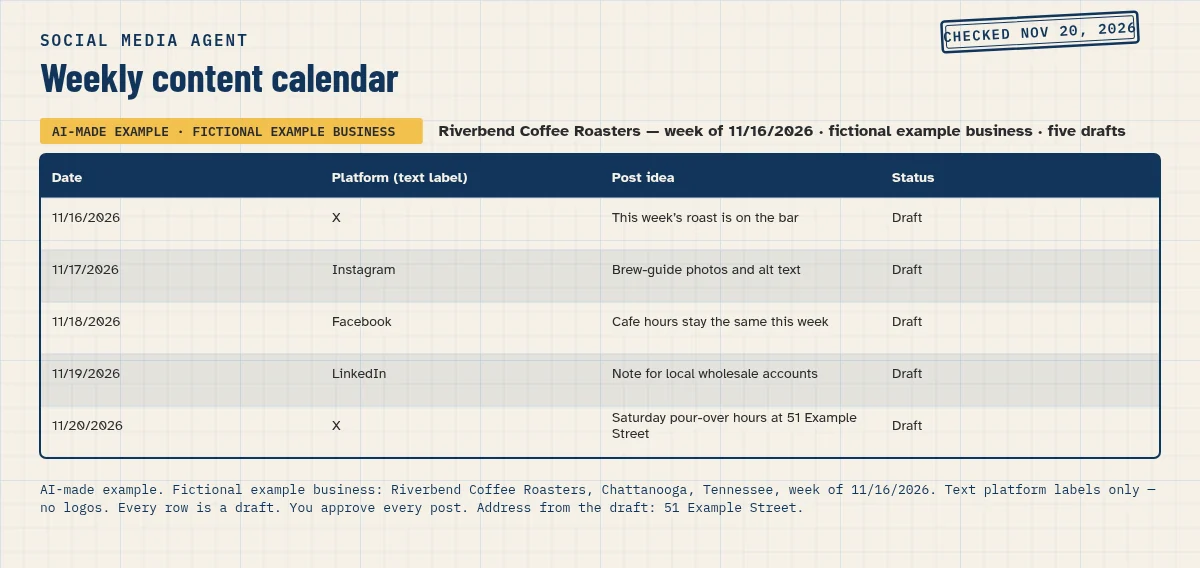
What to do in the app: in the test account:
- Google Sheet Riverbend — content calendar (DEMO) with columns: Date (MM/DD/YYYY), Platform, Topic, Draft, Caption, Alt text, Status.
- Google Doc Riverbend — brand voice (DEMO): warm, a little nerdy about coffee, no hype words, no health claims; this week’s facts (a new Ethiopia single origin, Saturday cupping at 10:00 AM).
- Two or three product photos and one short test video you own.
No prompt.
Expected result: a calendar, a voice doc and sample media.
Set the boundaries before using apps
Step 2: Add lasting rules
Paste this into: Grok Bot chat, message box
Remember these as lasting rules for Social Desk:
1. Drafts only. Never post, publish, reply or send a message on any platform without asking me first.
2. Use only facts from "Riverbend — brand voice (DEMO)" or ones I give you. No prices, discounts or health claims unless I write them.
3. Every image you create gets the label "AI-made" in its file name.
Expected result: the Bot confirms the rules.
Create the Bot and connect the test apps
Step 3: Create “Social Desk” and connect apps
What to do in the app: create a Bot named Social Desk. Connect Google Drive and Google Sheets with the test account.
No prompt.
Expected result: the Bot can open the calendar and the brand doc.
Give the Bot its role
Step 4: Describe the job
Paste this into: Grok Bot chat, message box
You are Social Desk for Riverbend Coffee Roasters in Chattanooga, Tennessee (fictional). Read "Riverbend — brand voice (DEMO)" before every task. Plan and draft posts for X, Instagram, Facebook and LinkedIn. Each platform gets its own version: X short, Instagram caption-led, Facebook friendly, LinkedIn about the business side. Use US dates and Eastern Time.
Expected result: the Bot repeats the job.
Run the drafts manually
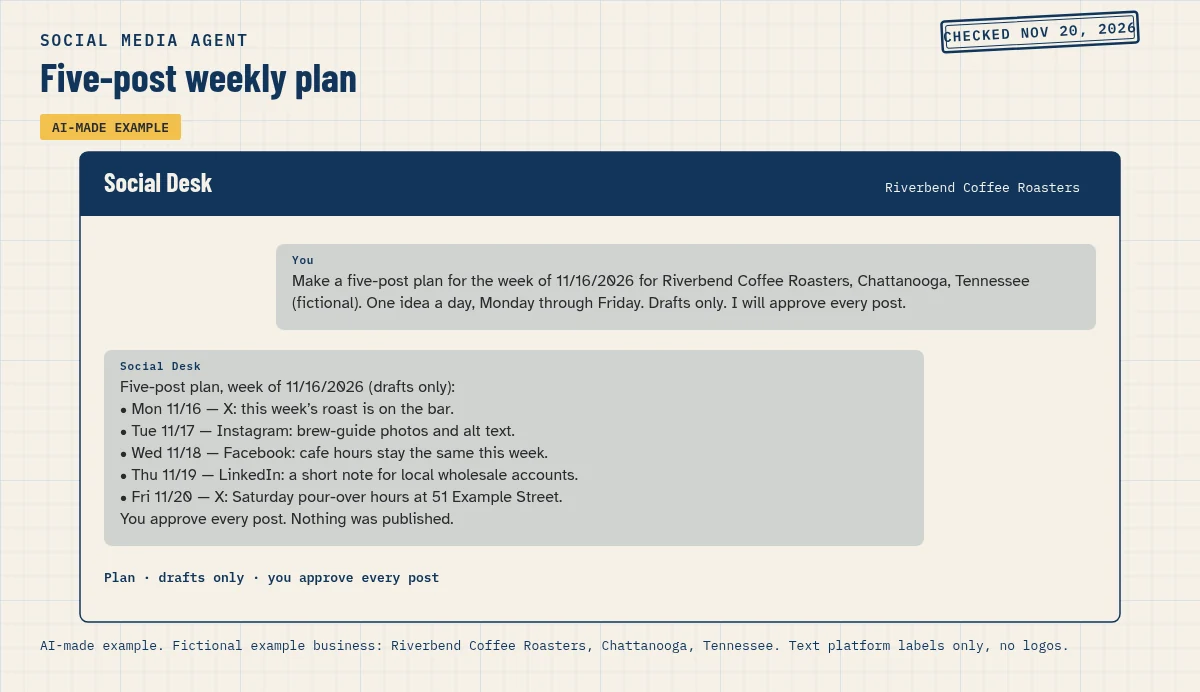
Step 5: Plan the week (5 posts)
Paste this into: Grok Bot chat, message box
Plan 5 posts for Monday–Friday this week. Mix: 1 new coffee, 1 behind the roaster, 1 brewing tip, 1 Saturday cupping invite, 1 customer question. Add one row per post to "Riverbend — content calendar (DEMO)" with Date, Topic and Status = "Planned". Show me the rows before writing.
Expected result: five planned rows after your OK.
Step 6: Draft posts per platform
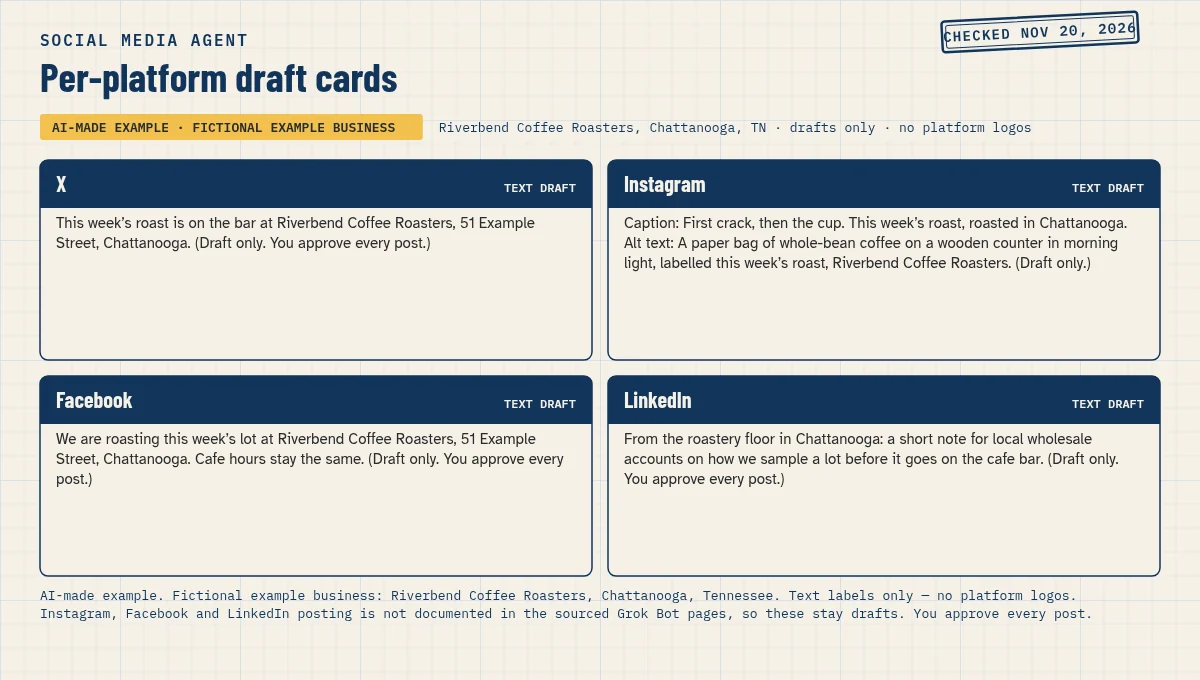
Paste this into: Grok Bot chat, message box
For each planned post, write versions for X, Instagram, Facebook and LinkedIn. Put them in the Draft column (one row per platform) and set Status to "Draft". Keep X under 280 characters. Don't post anything.
Expected result: platform drafts in the sheet.
Step 7: Captions, alt text and an image
Paste this into: Grok Bot chat, message box
For each Instagram and Facebook draft, write a caption and plain alt text describing the photo I attach. Then create one simple image for the cupping invite: a cream background with "Saturday Cupping, 10:00 AM" in large text. Save the file name with "AI-made".
Expected result: captions, alt text and one created image in the conversation.
Step 8: Short clips from your video (marketplace templates)
Two templates in the Grok Bot marketplace are built for clips. The marketplace describes Clip Bot as finding “the best moments in a long recording” and cutting them “into short captioned clips,” and Stills & Clips Desk as pulling “stills, thumbnails, and short clips out of your footage, sized for where they go.” (Marketplace, checked Nov 20, 2026) Add one as a separate Bot and give it your own test video. We haven’t tested their output. See templates and marketplace.
No prompt. Follow the template’s own instructions.
Expected result: clips you review and post yourself.
Test it
Run Steps 5–7 for two weeks. If they work, ask for a Monday 8:00 AM routine that plans the week and fills the Draft column. Every routine run spends usage from your weekly pool. See routines.
Staff review and next steps
- Read every draft, check facts and prices, then post it yourself.
- For graphics, see Canva.
- One platform only? See the food truck social scheduler. Turning lessons into posts? See the course creator content repurposer.
YouTube Shorts: what’s possible
The Bot can draft titles, descriptions and captions, and a clip template can cut short clips from a video you provide. Uploading to YouTube isn’t documented (checked Nov 20, 2026), so upload yourself. For the full creator workflow, see the YouTuber video launch kit.
Scheduling tools
Postiz appears in the Grok Bot app catalog (docs note, checked Nov 20, 2026). Check Connect apps in your account for what it can do. We haven’t tested it.
If this goes wrong
- Drafts sound generic: add three real past posts to the brand doc as examples.
- A draft adds a discount you never offered: repeat rule 2.
- The clip template needs a different file format: export the video again, or ask the template what it accepts.
FAQ
Can Grok Bot post to social media for me?
We found no documented posting connector for Instagram, Facebook, TikTok, LinkedIn or YouTube. Public X reading is built in and read-only. This build makes drafts you post yourself.
Can it make YouTube Shorts?
Clip templates such as Clip Bot and Stills & Clips Desk are in the marketplace. Uploading to YouTube isn’t documented.
Can it read my X mentions?
Public X reading is built in and read-only. The X plugin adds DMs, bookmarks, timeline and likes, and needs X API credits on your X developer account. See X.
Can it create images for posts?
Yes. The Bot creates pictures and short video clips when you ask. Label them as AI-made where your platform expects it.
Will it post without asking?
Not in this build. Rule 1 keeps everything as drafts. See approvals.